The seating chart you
won't fight about
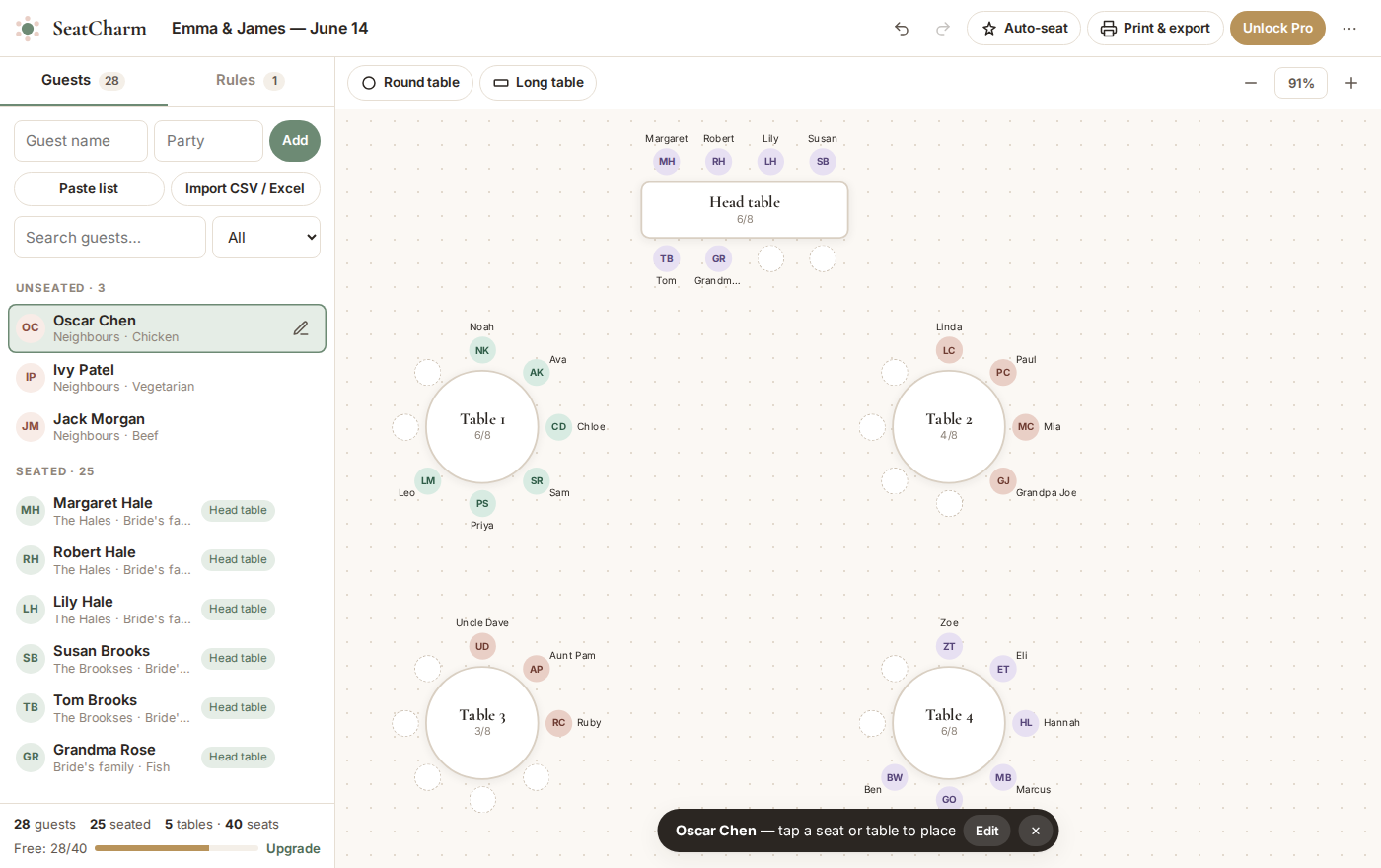
Drag guests onto tables, let auto-seat handle the tricky family politics, and print everything your venue needs. No account, no app download.
Free for up to 40 guests · Pro is a one-time $19 · Your guest list never leaves your device
Everything for the seating chart, nothing you don't need
Built for couples doing it themselves, and for the planners who help them.
Drag-and-drop floor plan
Round and banquet tables you can move, rename and resize. Drop a guest on a seat, or on a table to take the next free spot. Swapping two people is one drag.
Auto-seat in one click
Couples and families stay side by side, friend groups land at the same table, and anyone who shouldn't sit together never will. It keeps the seats you've already placed.
Keep-apart rules
Divorced parents, feuding cousins, the ex. Add a rule once and SeatCharm warns you the moment two people end up at the same table.
Import your guest list
Paste from a spreadsheet or import a CSV from Excel, Google Sheets, The Knot, Zola or Joy. "John & Jane Smith" becomes two guests, seated together.
Meal counts per table
Track each guest's meal choice and allergies. Your caterer gets a clean list per table with totals, so the vegan never gets the steak.
Print-ready everything
Floor plan, table lists, an alphabetical "find your seat" list and place cards with cut lines. Print at home or save as PDF for your venue or stationer.
Done in an evening
Add your tables
Tell us how many tables and seats. Rearrange them to match your venue's floor plan.
Bring in your guests
Paste or import your list. Mark households, friend groups and anyone to keep apart.
Seat, tweak, print
Hit auto-seat, drag a few people around until it feels right, then print it all.
Simple, one-time pricing
No subscription to forget about after the honeymoon.
Free
For small celebrations and trying it out.
- Up to 40 guests
- Unlimited tables
- Auto-seat & keep-apart rules
- CSV import & export
- Printouts with a small watermark
- Place cards
Pro
Everything for a full-size wedding.
- Unlimited guests
- Everything in Free
- Clean, watermark-free printouts
- Printable place cards
- Use it for every event, forever
- Works on all your devices
Most seating apps charge $24–$40 per event. Not happy? Email us within 14 days for a full refund.
Questions
Do I need to create an account?
No. Open the planner and start. Your chart saves automatically in your browser. To move it to another device or share it with your partner, download a backup file from the menu and open it there.
Is my guest list private?
Yes. Your guest names, meals and notes stay on your device. SeatCharm has no database of your guests, and nothing is uploaded to us.
How does Pro work?
Pay once and you'll get a license key by email straight away. Paste it into the planner and Pro unlocks immediately: unlimited guests, place cards and clean printouts. The key works on all your devices.
What happens to guests over the free limit?
If you import more than 40 guests, the first 40 are added and the rest are kept safe. They're added automatically the moment you unlock Pro, so you never have to re-type anything.
Can I use it for things other than weddings?
Absolutely. Rehearsal dinners, galas, bar and bat mitzvahs, quinceañeras, corporate dinners, birthdays and fundraisers. Anything with tables and guests.
Does it work on my phone?
Yes. On a phone or tablet, tap a guest and then tap a seat. For big guest lists, a laptop is more comfortable.
I'm a wedding planner. Can I use it for clients?
Yes. One Pro license covers every event you plan. Keep each client's chart as a backup file and open whichever one you need.
Your guests will never know how hard this was
Start free. Upgrade only if your guest list needs it.
Open the seating planner